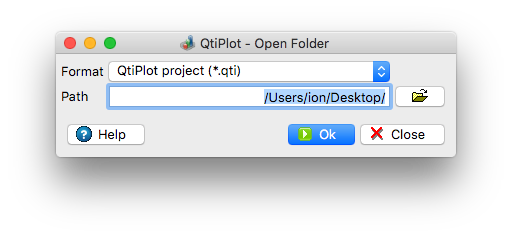
Open Folder Dialog
This dialog is activated by selecting the Open Folder... command from the File Menu. It can be used to select a file Format and an existing Path.
All files from the user specified Path that have the file extension selected in the Format drop list will be appended to the active folder of the current project. A message showing the number of opened files is displayed at the end of the import operation.